My anki decks for learning chinese v2
This blog post serves as documentation for my reworked Anki decks for learning Chinese.
Compared to the previous decks I changed the following:
- Added multiple note types optimized such that users can choose between decks using
- pinyin or bopomofo,
- with or without ruby characters,
- optimized for desktop or mobile and
- with traditional or simplified chinese.
- pinyin or bopomofo,
- Audio from Azure TTS instead of Google Translate TTS
- Display Hanzi using simple Font instead of Hanziwriter
- Better/More accessible configuration system using CSS variables
- Removed coloring of Hanziwriter Quizzes and Pinyin
As before I’m using data from other shared decks for most of my decks. I thus want to thank all the people sharing their decks!
The decks
The decks can be downloaded from this website using the links
- Chinesisch für Deutsche 1+2 (+ note showcase deck),
- Chinesisch einmal ganz anders 1-2 (+ note showcase deck),
- Practical Audio Visual Chinese 1-4 (+ note showcase deck),
- A Course in Contemporary Chinese 1-6 (+ note showcase deck),
- Radicals (+ radicals showcase deck)
and from AnkiWeb using
- Chinesisch für Deutsche Buch 1-2 + ε - AnkiWeb,
- Chinesisch einmal ganz anders 1-2 + ε - AnkiWeb,
- Practical Audio Visual Chinese Book 1-4 + ε - AnkiWeb,
- A Course in Contemporary Chinese B1-B6 + ε - AnkiWeb and
- All 214 Chinese Radicals + ε - AnkiWeb.
On AnkiWeb you can find the note showcase decks
- Chinese Vocab + ε Note Types Showcase - AnkiWeb and
- Chinese Radicals + ε Note Types Showcase - AnkiWeb.
If you have downloaded your decks from this website you do not need to import the showcase decks, since they come bundled with your deck.
My decks are based on the cards from the following decks:
- Chinesisch für Deutsche 1+2 - AnkiWeb
- PAVC 1,2,3,4 (Vocabulary+Grammar, Reading+Writing)
- A Course in Contemporary Chinese (當代中文課程 B1-B6, Traditional)
- All 214 Chinese Radicals
- Chinesisch einmal ganz anders Band 1 - AnkiWeb
I also want to thank an acquaintance of mine who scanned “Chinesisch einmal ganz anders Band 2” to a Pdf which allowed me to add Band 2 to the deck by using text recognition on the Pdf.
Usage
If you haven’t used Anki yet, Anki’s official Getting Started Guide is a good starting point. The documentation page on studying is also highly recommended.
Additionally, I recommend using these decks on your smartphone with Ankidroid (Android, free), Ankimobile (iOS, paid) or Ankiweb (available on all platforms, free). Ankiweb can also be used to synchronize your decks between different platforms.
After importing the decks I recommend enabling the following options:
- New cards/day: 9 (reasonable workload & divisible by three)
- Maximum reviews/day: 90 (reasonable workload & divisible by three)
- New card sort order: Order gathered
- New/review order: Show after reviews
Features
Each note has three cards:
- Zh→Mn+Pin: Chinese characters on the front, pronunciation and the corresponding meaning in English or German on the back
- Mn→Pin+Zh: Meaning on the front, pronunciation and characters on the back
- Pin→Zh+Mn: Pronunciation on the front, characters and meaning on the back
The audio is played on viewing the backside, but you can also automatically trigger it (on the back) by pressing the play button or typing r.
See the following two examples for possible note types that are included in the showcase deck. The first three images show the default note type.
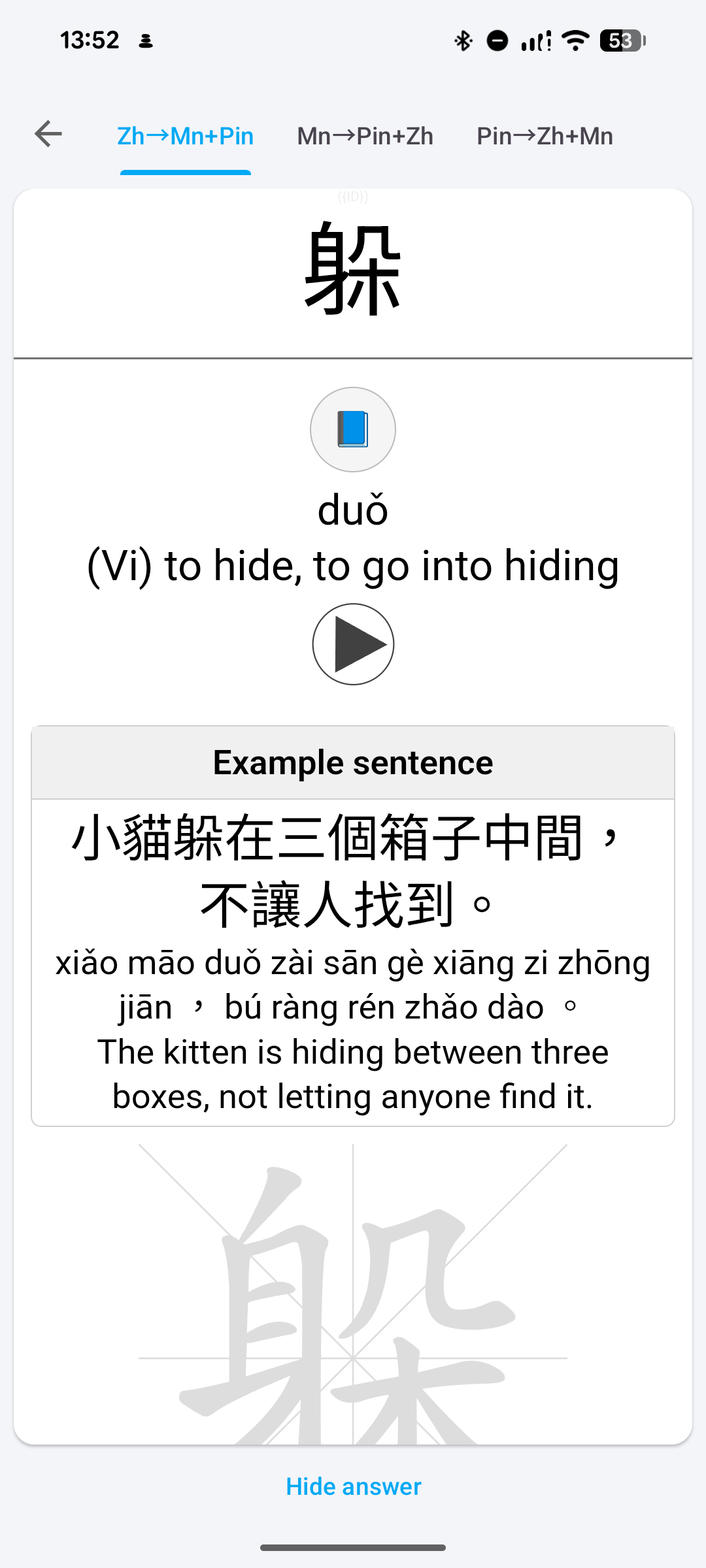
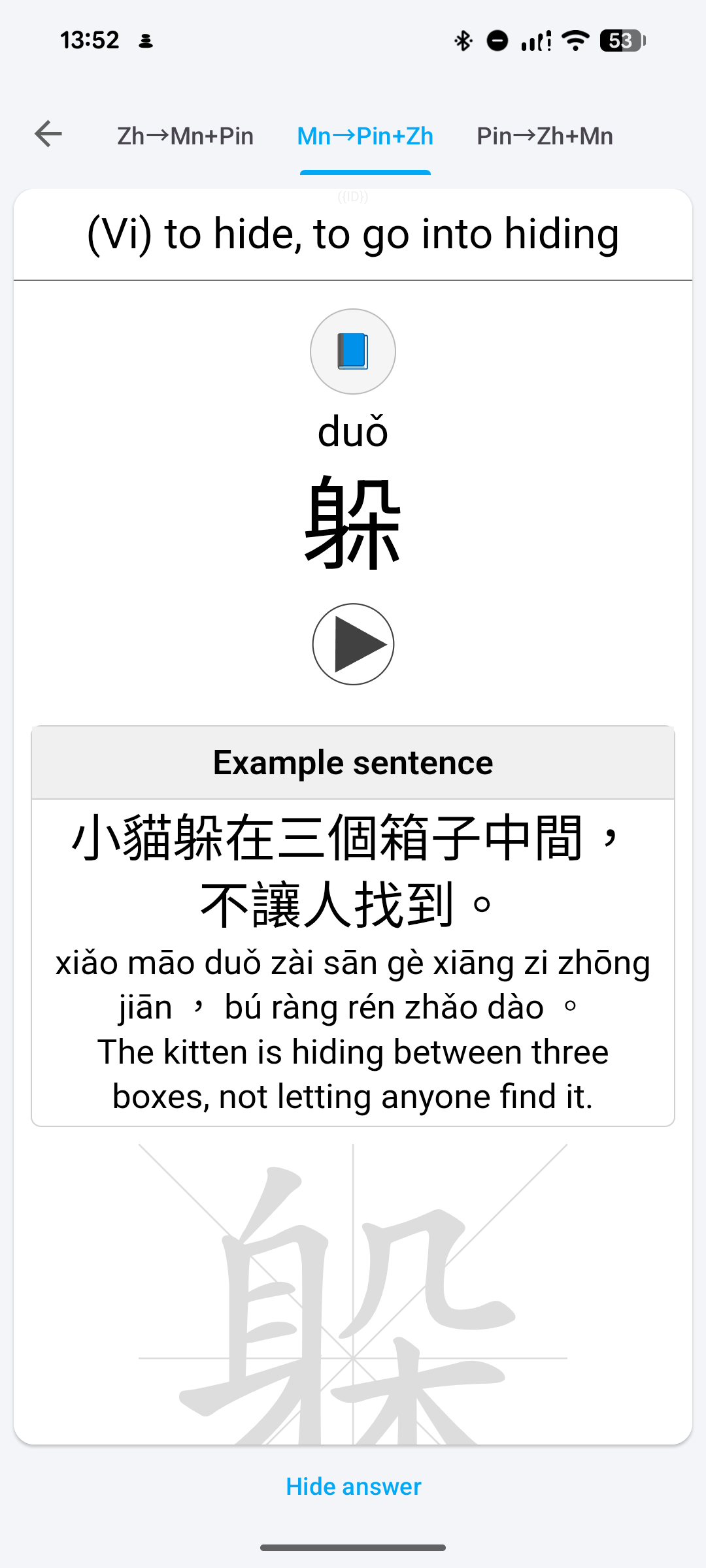
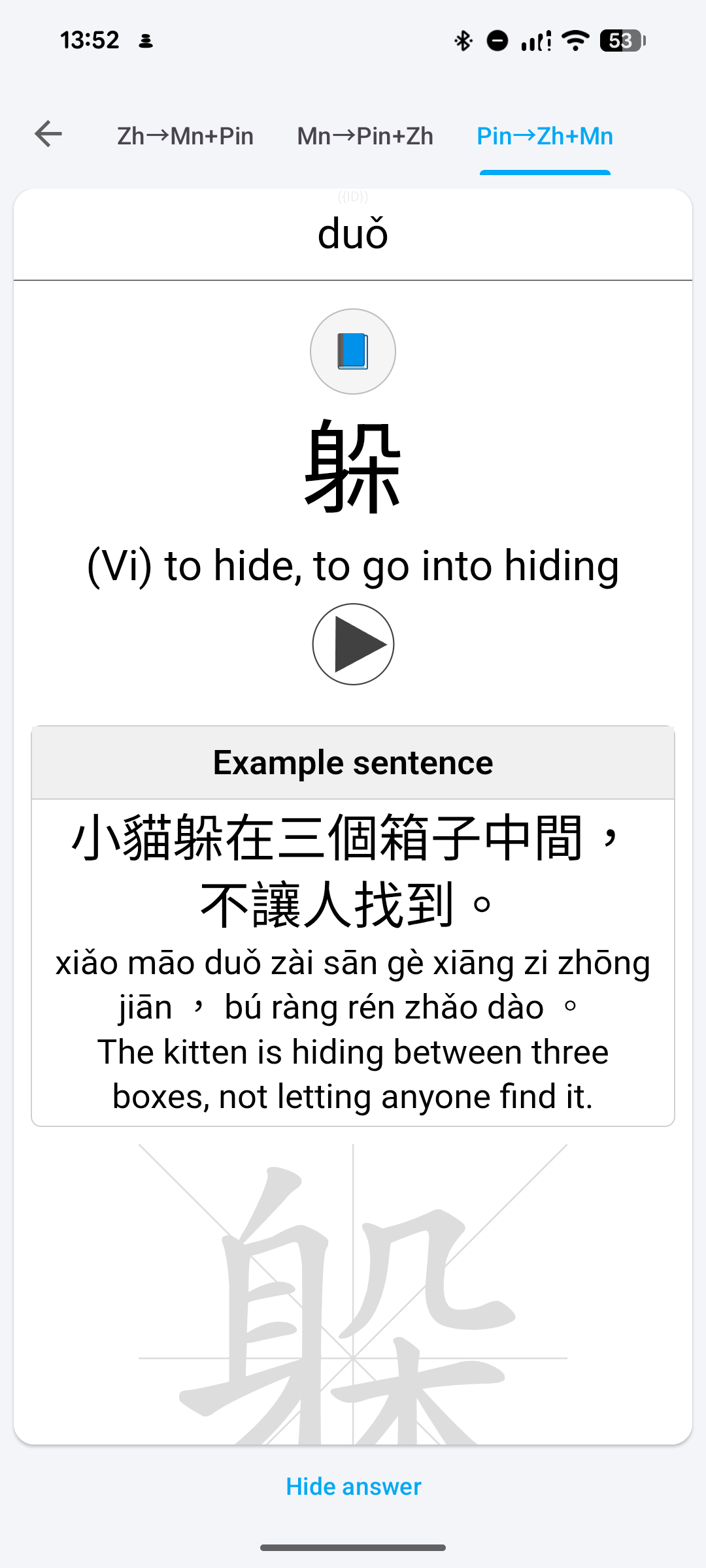
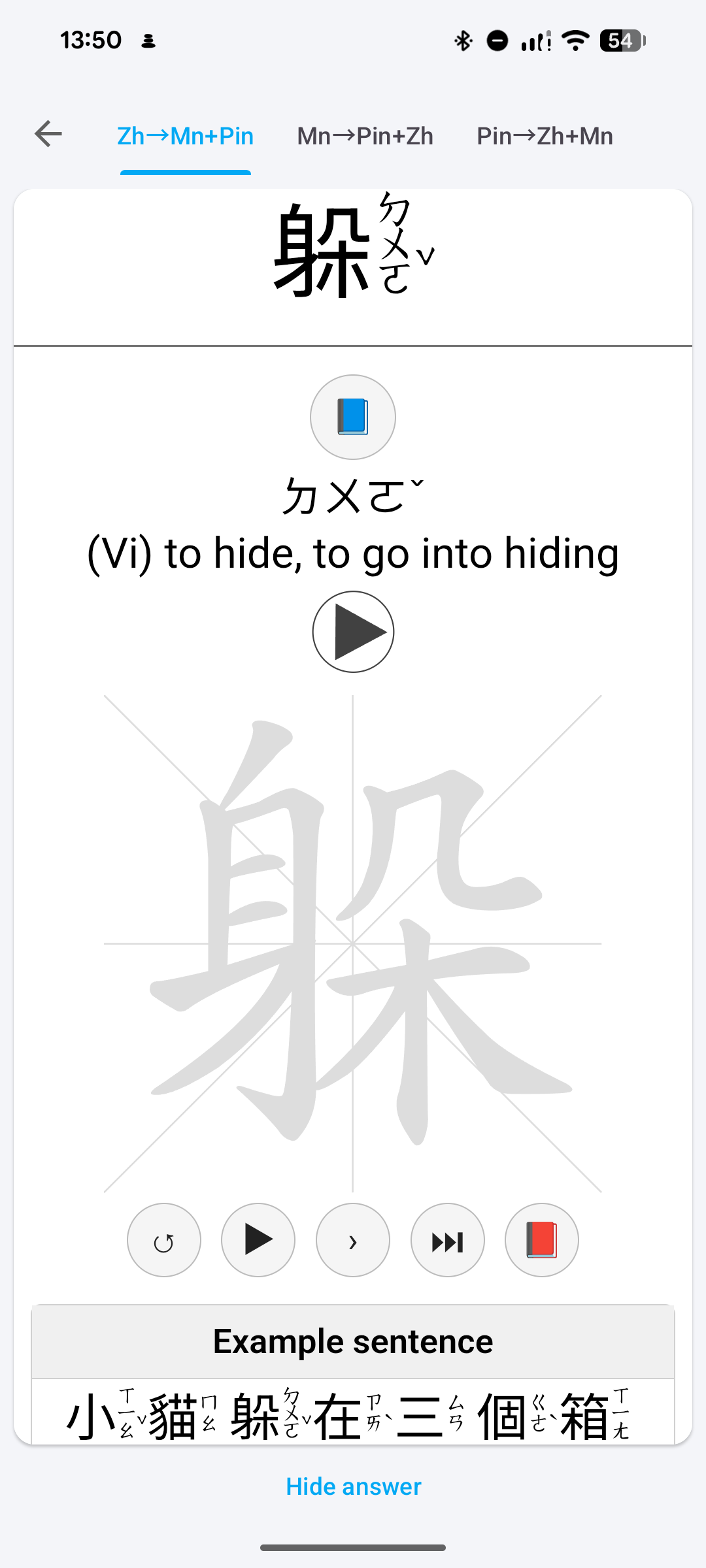
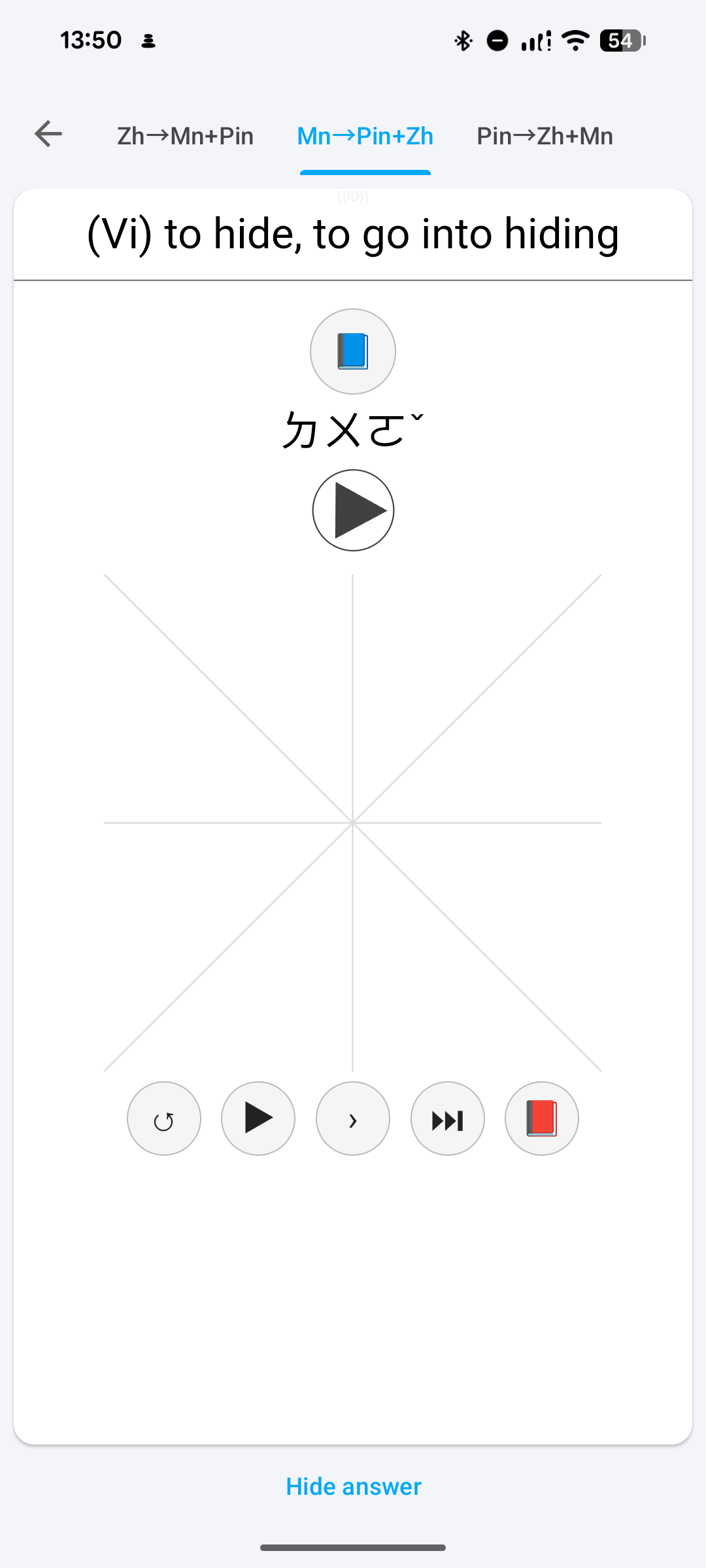
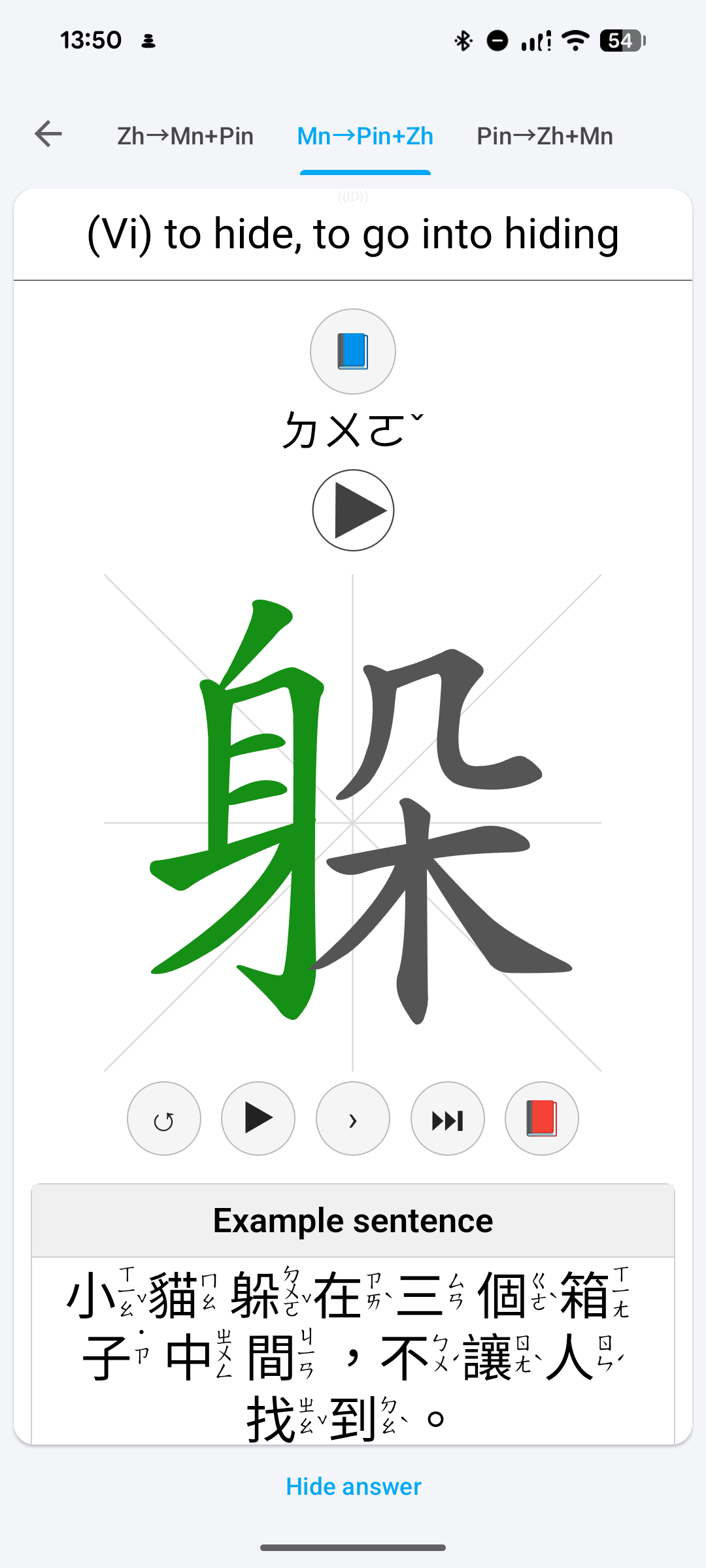
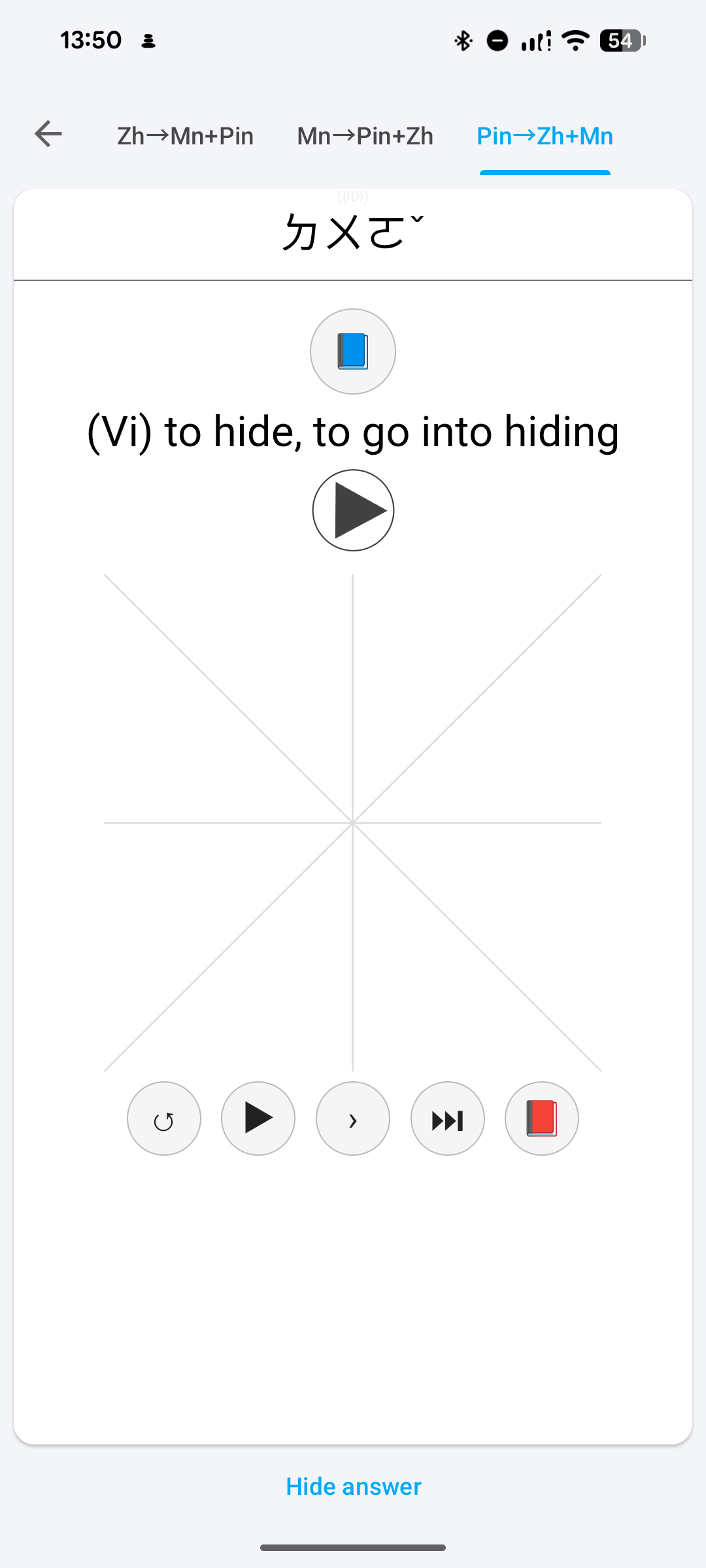
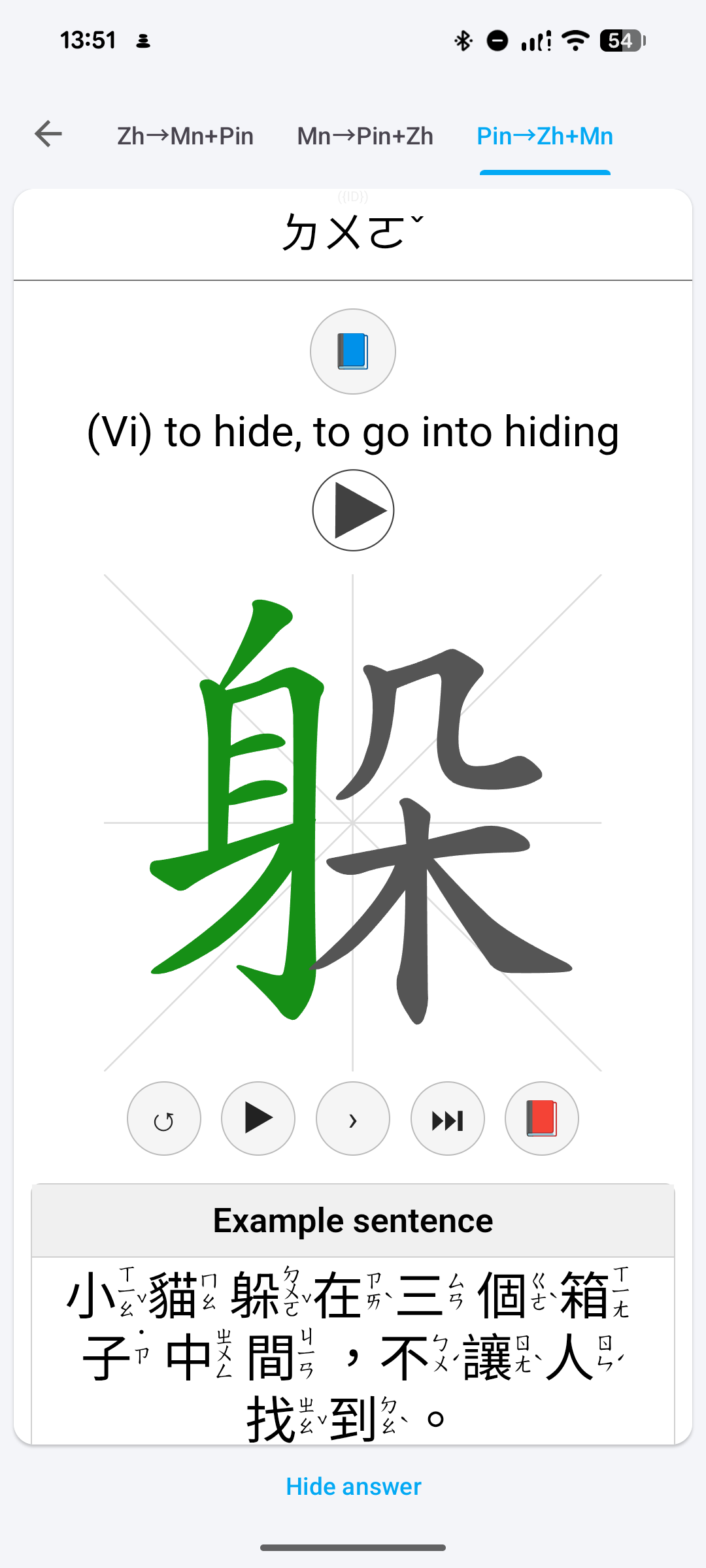
The buttons have the following functionality:
↺Restarts the quiz.⏵Starts the animation of the character.›Draws the next stroke (useful for some characters, e.g. 6th stroke of 圖 is too short).⏭Draws complete character.📕Opens the website HanziCraft for this character.📘Opens Pleco on mobile and otherwise MDBG.
Workflow
I recommend the following workflow: The first time you learn a new word in Anki, you should be shown the Zh→Mn+Pin card type. Draw the characters on the outlined quizzes and look up new characters with 📘 or 📕 to learn about their meaning and composition.
If you get a Mn→Pin+Zh or Pin→Zh+Mn card when reviewing cards, try to remember the pinyin or the meaning depending on what is hidden and try to remember the number of characters of the chinese word. Once you have viewed the backside you should try to draw the characters. In the end you should press Again/Hard/Good/Easy depending on how well you remembered, how well you drew the word and how strict you want to be with yourself.
Tips
- You should try to learn your cards regularly every day to build proper knowledge. If you want to learn lot’s of characters in only a few days you can use the custom study option to increase the new cards and review cards limits (among other things).
- Since the decks were automatically generated there are some unpolished edges. E.g. there are two notes in the PAVC deck with the meaning “(question particle)”. One for 嗎 and the other one for 哪. Therefore two cards of type Mn→Pin+Zh with identical frontside exist. You probably want to suspend both of those cards (not the notes though).
- If you want to learn specific cards and not in the order of the deck you can reposition the chosen cards to the beginning.
- You might also want to suspend some cards if you don’t want to learn e.g. cards of type Pin→Zh+Mn. In that case you can use the search function to filter the cards, select all of them (C-a) and suspend them.
- If you accidentally pushed the wrong button while reviewing, you can undo the press by pressing “u” on desktop or the undo button on mobile.
- If you want to load balance your reviews depending on the workdays or want to delay some reviews for a few days (e.g. because you are on holidays) you can enable the FSRS scheduler and install the FSRS Helper addon. This new scheduler for Anki should also reduce your workload.
- Do not use vocabulary flashcard decks for too long. At the latest you should start using sentence mining decks once you reach B1.
Configuration
If you want e.g. want to change the size of the quiz widgets you can adjust their size by opening the Card Template Editor, opening the styling section and changing the values of variables in
| |
As you can see, you can have different quiz sizes depending on which kind of device you are using (mobile or desktop) and also customize the font size used for the Hanzi in the cards.
You can read about the options leniency and averageDistanceTreshold in the documentation of Hanziwriter.
Updating
If you have used the second iteration of my decks, you should be able to only import this deck. If you previously used my first iteration you might need to use these python scripts in my repository or do some the following by hand:
Before import you need to change the names of the cards of all note types from e.g. En→Pin+Zh to Mn→Pin+Zh.
Then you can import the new deck (using “Merge note types” during import). The should decks now work as intended, but some of the notes might have superfluous fields, which I recommend removing.
Donate
You can support this project indirectly by supporting Anki. You can e.g. buy Ankimobile.
Source Code
You can find the source code at: vherrmann/chinese-anki-decks: Anki decks for learning Chinese with text books
See also
- Similar Deck for HSK: Hello from Anki xiehanzi | Anki xiehanzi
- Similar Deck for other text books: Kartenaale
Thanks
- The original decks:
- Inspiration for my decks and also helpful resource on how to implement the quizzes: Hello from Anki xiehanzi | Anki xiehanzi
- Helpful resource on how to work with raw Anki decks: kerrickstaley/genanki: A Python 3 library for generating Anki decks